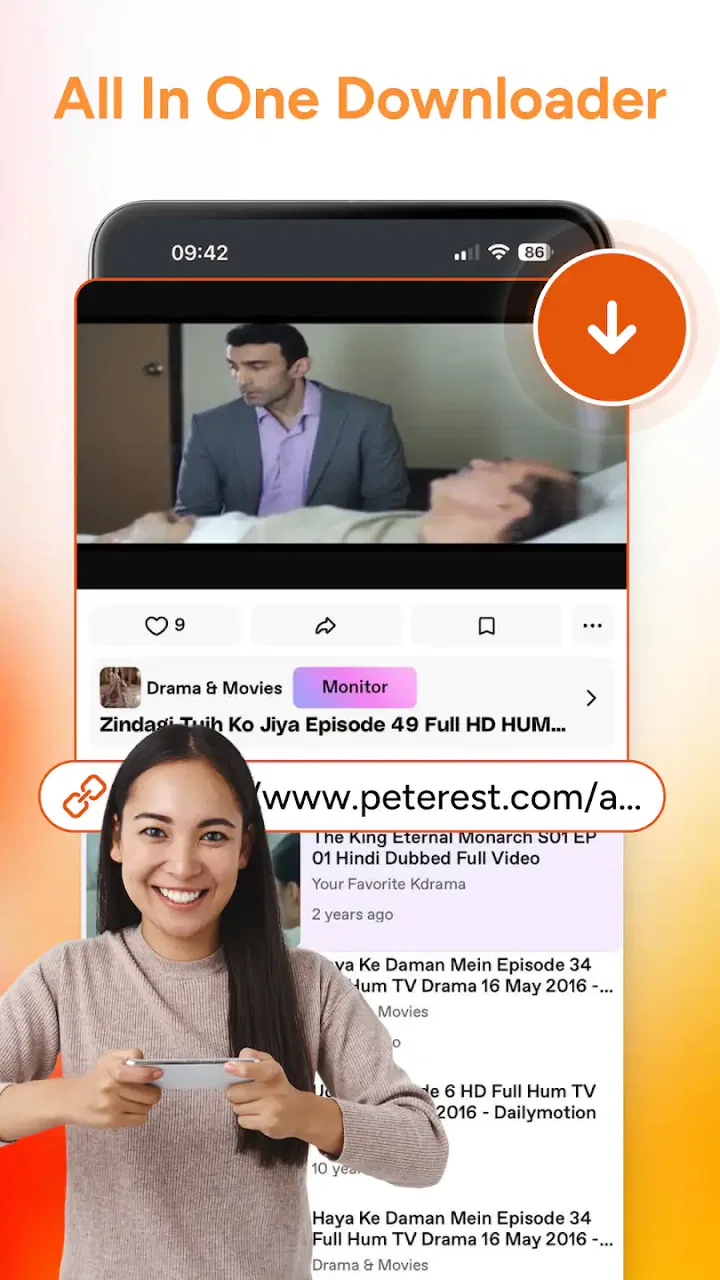
Saveora: All Video Downloader
- 0.0
- Rating
- 50.00K
- Installs
- Free
- Price

 Analysis by App-foxy
I approached Saveora: All Video Downloader as a practical video tool rather than as another app that simply promises quick downloads. Its role is clear: it combines video saving with playback, including HD video handling and a private downloader angle. That makes the real question less about whether it sounds useful and more about whether this compact approach fits the way you watch, organize, and revisit video on your phone.
In my experience, an app like this is most valuable when it removes small points of friction. I may want to keep a video available for a later commute, open a saved file without searching through several unrelated apps, or separate downloaded media from the rest of my everyday viewing. Saveora is aimed at those moments. It is free, rated for Everyone, and belongs to the video players and editors category, so it is easier to approach than a specialist editing suite or a subscription-based media service.
The app is made by LE VU EDU EDUCATION ONE MEMBER COMPANY LIMITED. It is listed with over fifty thousand installs, which gives it a modest but meaningful presence without suggesting that it is an established replacement for every major video utility. The current release is version one point zero point zero, and it requires Android ten or newer. Those details matter when deciding whether to make it part of a regular media workflow, especially if you use an older phone or prefer a mature application with years of interface refinement.
You May Also Like

 Pandora - Music & Podcasts
Pandora’s Music Is Easy to Start, but Harder to Recover
Pandora’s strength is its low-effort path from a seed to a station. Its weak spot is how much confidence it asks you to place in connection, setup, and quiet recovery.

 8 Ball Pool
 Is Built on Rivalries, Rematches, and Routine
A close look at the rivalries, rematches, shared routines, and unanswered safety questions that turn a quick pool match into a persistent mobile community.

 Samsung Music
’s Quiet Strength Is Playing What You Already Own
Its reach comes less from spectacle than from dependable access to a personal library. That simplicity is both the app’s strongest retention engine and its ceiling.

 AccuWeather: Weather Radar
AccuWeather Review: A Quick, Clear Forecast for Everyday Decisions
For everyday plans, the best forecast is the one you can understand quickly. AccuWeather makes rain timing, radar, and local conditions easy to act on, with a few trade-offs.

 Hill Climb Racing
Why Hill Climb Racing Still Turns Crashes Into One More Run
A tiny car, a bumpy hill and one more upgrade: Hill Climb Racing keeps resurfacing because its simple chaos makes every near-miss feel personal.

 AliExpress - Shopping App
AliExpress Makes Global Shopping Feel Personal, but Shoppers Bear the Risk
AliExpress turns a global marketplace into a pocket-sized discovery engine. Its reach is useful, its shopping loop compelling, and its trade-offs easy to miss.
More From Our News Desk
View All News


How I Would Decide Whether Saveora Fits
I’d decide by testing Saveora against one real task I repeat, rather than moving my whole video routine at once. I’d use a few videos I’m allowed to save, then judge whether keeping downloading and playback together makes them easier to find and watch. That small trial also gives me a useful basis for weighing convenience against the control of separate tools.
Start with the kind of video problem you actually have
The first decision criterion is simple: do you need a downloader and player in one place, or are you looking for a broader media system? Saveora makes sense when the central task is obtaining video and then watching it. It is less naturally suited to people whose priority is cutting clips, adding transitions, recording voiceovers, or building polished social posts. The category label can sometimes make users expect editing controls, but this app’s identity is much closer to saving and viewing than to full creative production.
I would also ask how often I need offline access. If I only stream at home and already have a preferred player, installing another app may not change much. If I regularly travel through areas with unreliable connectivity, however, a downloader can become a useful preparation tool. The important habit is to save material before leaving a dependable connection, then test that it opens in the app while there is still time to fix a problem.
A second criterion is convenience versus control. A combined app reduces switching: I can move from an acquired file to playback without opening a separate file manager or media player. That is appealing for casual use. On the other hand, people who carefully manage folders, rename files, synchronize libraries, or use several devices may prefer a dedicated download workflow with more visible organization. Saveora’s appeal is the short path from video source to viewing, not necessarily a complex archive system.
What the private downloader idea means in everyday use
The private downloader positioning is useful for thinking about separation. I would treat it as a reason to keep personal viewing activity distinct from a public-facing gallery or a general-purpose media folder. For example, someone might save instructional clips, travel references, or personal material they want to revisit without mixing those files with camera photos and work documents.
That does not mean I would use the app as a substitute for a secure vault, a password manager, or a complete privacy solution. A private area can improve organization and reduce accidental exposure during casual browsing, but responsible use still matters. I would avoid saving sensitive material on a shared phone, review where files appear before handing the device to someone else, and respect the rights and terms attached to every video I download.
That last point is especially important. A downloader can be technically convenient without giving permission to copy everything found online. I would use Saveora for content that I am allowed to save, personal files, or sources that explicitly support downloading. This is not a minor detail: the best workflow is one that remains useful without creating copyright or account problems later.
Compatibility and the practical cost of trying it
Android ten or newer covers many current devices, but it immediately excludes phones that have stayed on older software. Before planning a long-term media setup, I would check the operating system rather than assuming that every Android handset can install it. The free price makes experimentation easy on a compatible device, yet free does not remove the cost of storage, mobile data, battery use, or time spent organizing saved files.
The version number also shapes my expectations. At version one point zero point zero, I would approach Saveora as a focused starting point rather than a fully proven replacement for every tool I already use. That does not make it a poor choice. It simply means I would test the specific sources and file types that matter to me before moving a large collection into its workflow.
My test would be deliberately small: save a few permitted videos in different resolutions, play them back, close and reopen the app, and check whether I can find them quickly afterward. I would also see how the private area fits into normal navigation. This takes little effort and answers more useful questions than a generic promise of speed ever could.
Where the combined design wins
Saveora’s strongest advantage is the connection between downloading and playback. With a separate downloader, file manager, and player, every handoff creates another opportunity to lose track of a file or choose the wrong app. Here, the intended journey is more direct. For a person who wants to save a movie or HD clip and watch it later, that simplicity is more valuable than a long list of advanced controls.
I also like the way this design suits temporary offline plans. Imagine preparing for a long train ride: I would choose permitted videos while connected, save them in advance, and use the same app to open them during the journey. I would not need to remember which folder the files entered or which player supports them. The benefit is not dramatic technology; it is fewer small decisions when I am already busy.
Another useful scenario is study or reference viewing. I might collect a short set of educational videos for a place where reception is poor, then keep them together for repeated review. A combined downloader and player is easier for that purpose than a social feed, where the same clip may be difficult to locate again. The private angle can also help keep a focused collection separate from entertainment downloads.
Saveora can be a good fit for people who are uncomfortable with complicated media tools. Its free access lowers the barrier to trying a simpler workflow, and the Everyone content rating makes it broadly approachable from an age-label perspective. I would still supervise how younger users obtain content, but the app itself is not presented as an adult-only product.
Three workflow tips that make a real difference
My first tip is to treat downloads as a queue, not as an endless collection. Before saving a video, I would ask whether I expect to watch it soon. This keeps storage from filling with forgotten files and makes the player’s library more useful. A short, intentional offline list is easier to navigate than a pile of clips saved merely because they were available.
Second, I would choose quality according to the screen and situation rather than selecting HD automatically every time. HD is attractive for a large display, but a smaller phone screen may not reveal enough difference to justify the extra storage and data. For a trip, I would balance clarity against available space; for a favorite movie watched repeatedly, higher quality may be worth the trade-off.
Third, I would perform a playback check before relying on a download. A file that appears saved is not necessarily useful if it cannot open correctly, if the source has restrictions, or if the device is nearly full. Opening the video once, while online, is a simple safeguard. It also lets me confirm that the saved version is the one I intended rather than discovering a problem when I am already offline.
Where a different category may fit better
Saveora is not automatically the best option for everyone. If my main goal were editing, I would choose a dedicated video editor with a timeline, trimming tools, audio controls, and export options designed for creation. A downloader-player can support the preparation stage, but it is not a replacement for a production workspace.
If my priority were streaming licensed content from a particular service, I would normally use that service’s own offline feature when available. The official route is often better for account integration, synchronized viewing progress, and content access rules. Saveora is more appealing when I need a general-purpose saving and playback workflow rather than a single platform’s catalog.
A dedicated file manager may also be preferable for someone who wants complete control over folders, naming, transfers, and backups. Likewise, an established media player may offer a more familiar experience to users who already maintain a large local collection. In those cases, Saveora’s all-in-one convenience could feel limiting instead of helpful.
There is also a question of source behavior. I would not assume that every website or video service works identically with a general downloader. If a particular source is central to my routine, I would test it before replacing an existing method. This is one of the clearest situations where switching immediately could create more friction than it solves.
The hidden cost of switching from familiar tools
Moving to Saveora is easy to try because it is free, but changing a media habit still has a cost. I may need to decide which old downloads to move, learn where the app keeps saved files, and rebuild a shortlist of videos. If I already know exactly how my current player handles subtitles, folders, casting, or resume points, a new combined tool has to save enough time to justify that adjustment.
I would switch gradually rather than deleting my existing apps. For a week, I would use Saveora for a small offline group while keeping my usual player for the rest of my library. That comparison would reveal whether its direct workflow genuinely helps me or whether I simply prefer the control of separate tools. It also protects against discovering that an important file-handling habit does not translate well.
Storage is another switching cost that is easy to overlook. Downloading several HD videos can consume space quickly, and a private collection may become invisible enough that I forget about it. I would review saved material regularly and remove anything I no longer need. If the phone is shared or used for work, I would be especially careful about separating personal viewing from files that other people may access.
Data use deserves the same practical attention. A free downloader can still use a substantial amount of mobile data if I save large videos away from Wi-Fi. My routine would be to prepare downloads on a trusted connection, check the selected quality, and avoid starting a large batch when the phone is low on battery or storage. These habits are not specific settings I would assume the app provides; they are sensible safeguards around the workflow.
Who I would recommend it to
I would recommend Saveora to an Android user on a compatible operating system who wants a straightforward way to save permitted videos and play them from the same place. It is particularly suitable for commuters, travelers, students collecting reference material, and casual viewers who dislike moving between a browser, download tool, file manager, and player.
I would also consider it for someone who wants a separate space for offline viewing without turning the phone’s general gallery into a media library. The private downloader concept gives that use case a clear direction, provided the user understands that organization is not the same as complete device security.
I would not make it my first recommendation for a professional editor, a serious local-media archivist, or someone whose viewing life is centered on one official streaming ecosystem. Those users may gain more from specialized tools that prioritize editing depth, library management, or platform integration. Saveora’s value comes from focus, not from trying to replace every category at once.
My final decision
After weighing the trade-offs, I see Saveora as a sensible utility for people who want a short, uncomplicated path from saving video to watching it. The free entry point makes it reasonable to test, and its combination of downloader, player, HD support, and private-use orientation gives it a distinct purpose within everyday video apps.
My recommendation is to install it only after identifying a real offline need, then test a handful of lawful downloads before committing to it as your main media tool. Check the operating-system requirement, confirm that your important sources behave as expected, and keep your saved collection small enough to manage. Those steps turn a vague promise of convenience into an informed decision.
Saveora is best when simplicity matters more than deep control. I would choose it for prepared trips, focused reference collections, and casual offline viewing. I would skip it in favor of a dedicated editor, official streaming downloads, or a full media manager when those specialized strengths matter more. For the right user, that focused compromise is exactly what makes the app worth trying.
FAQs for Saveora: All Video Downloader
01What platforms does Saveora support for video downloading?
Saveora: All Video Downloader is designed to support a wide range of platforms, including popular social media sites and video-sharing services. Users can download videos from Instagram, Facebook, Twitter, and many others. This makes it a versatile tool for those who need to save videos from different sources directly to their devices.
02Does Saveora support downloading in multiple video formats?
Yes, Saveora allows users to download videos in various formats to suit their needs. Whether you prefer MP4, AVI, or another format, Saveora provides the flexibility to choose the format that best fits your device and viewing requirements. This ensures compatibility and ease of use across different media players.
03Is it legal to download videos using Saveora?
The legality of downloading videos with Saveora depends on the content and the platform's terms of service. Generally, downloading videos for personal use is acceptable, but distributing copyrighted material without permission is illegal. Users should ensure they comply with copyright laws and platform guidelines when using Saveora.
04Are there any in-app purchases or subscription fees for Saveora?
Saveora is available as a free app with optional in-app purchases. While the basic features are accessible without cost, users can opt for premium features through a subscription or one-time purchase. This includes benefits like faster downloads, ad-free experience, and unlimited downloads, enhancing the overall user experience.
05How do I ensure my downloaded videos are saved securely?
To keep your downloaded videos secure, Saveora provides options to store them in private folders within the app. Users can also transfer videos to their device’s gallery or cloud storage with additional security settings. Regularly backing up your files and using device encryption adds another layer of security to your saved content.
Pros
- Supports multiple video formats.
- Simple and intuitive interface.
- Fast download speeds.
- Allows background downloading.
- Integrated media player to preview content.
Cons
- Contains ads during use.
- Limited features in free version.
- No built-in video editor.
- Downloads may fail on certain sites.
- Requires permissions that may concern privacy.

Saveora: All Video Downloader
Gallery